


MacWashing vs Sensei
Checked both apps on the same Mac
Both apps checked the same Mac with the same files. Five tests: a Mac with a classic web developer stack, an iPhone developer’s Mac, a video editor’s Mac, a photographer’s Mac and an everyday user’s Mac. Below is how much junk each one found.
In short
| App | Web developer | iPhone developer | Video editor | Photographer | Everyday user |
|---|---|---|---|---|---|
| MacWashing | 25.34 GB | 37.77 GB | 25.76 GB | 23.35 GB | 22.75 GB |
| Sensei | 7.42 GB | 14.07 GB | 4.22 GB | 5.62 GB | 19.06 GB |
How much junk each app found: the user’s large files and the space macOS frees by itself are not counted. Green is the best result in a column.
The apps in this comparison
MacWashing
MacWashing- Free up to 25 GB
- Subscription or lifetime
Checks every removal against its rules database: what it doesn’t know, it leaves alone. Apps and large files go to the Trash by default, so they can be put back.
Sensei
Cindori- Subscription or lifetime
- Has a trial
An app by Cindori that keeps an eye on the Mac — temperatures, load, disk and battery health — and also cleans junk and removes apps. Subscription or lifetime license, with a free trial.
Developer’s site ↗A Mac with a classic web developer stack
Test 1 of 5- 10 projects: Node.js, PHP, Python
- 8 of them untouched for over 90 days
- VS Code, iTerm2, Chrome, Postman, Docker Desktop
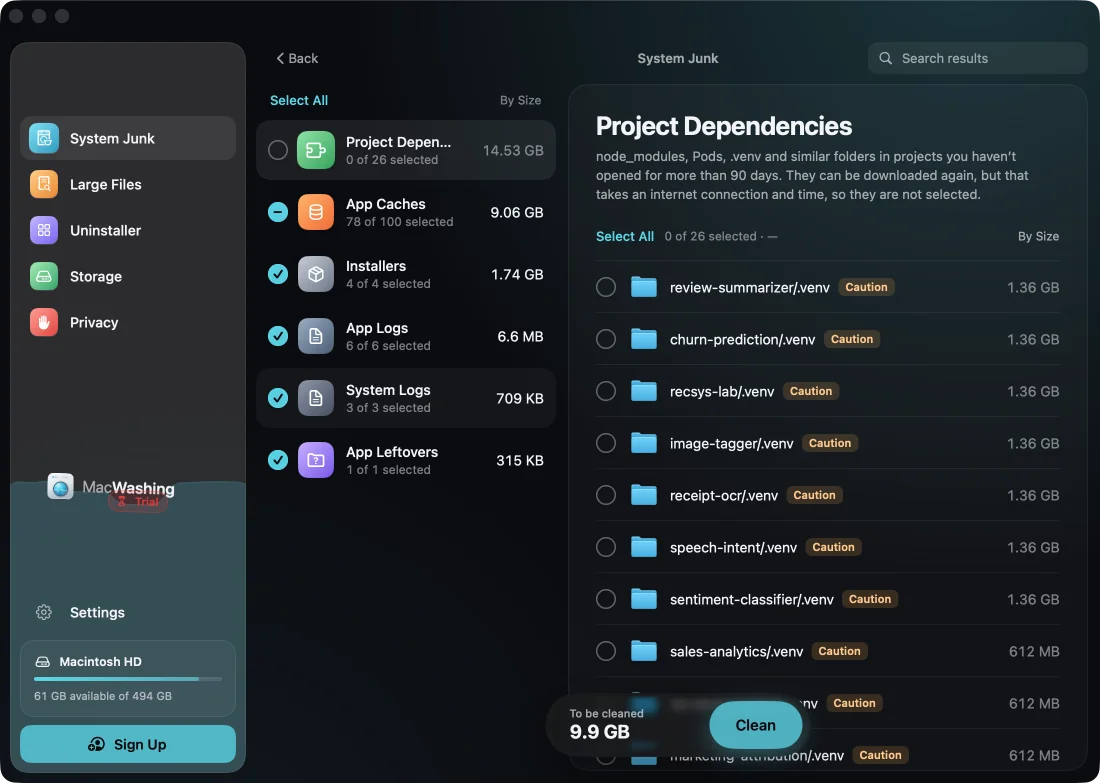
MacWashing after the scan1 of 2
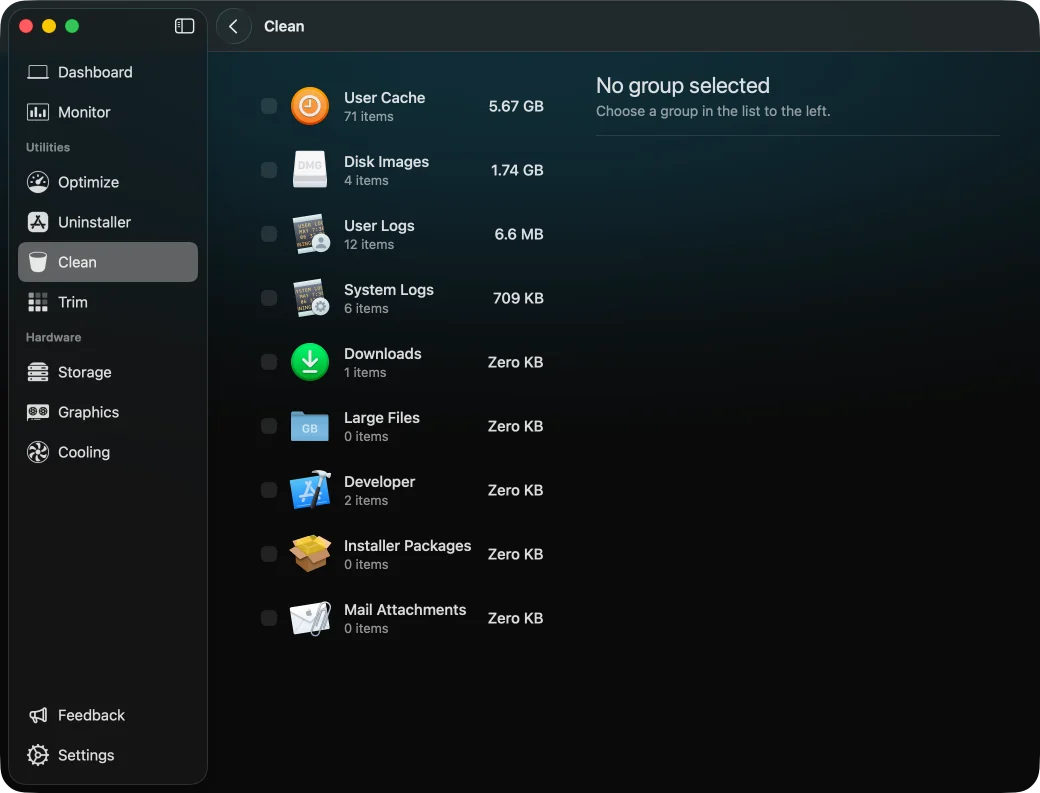
Sensei after the scan2 of 2
How much each app found
MacWashingSenseijunk: caches, logs, leftovers of appsdependencies of old projects (found, not ticked)
Versions: MacWashing 2.3.4 · Sensei 2.1.3
An iPhone developer’s Mac
Test 2 of 5- Xcode, CocoaPods, Proxyman, Xcodes
- Slack, Discord, Chrome, Safari
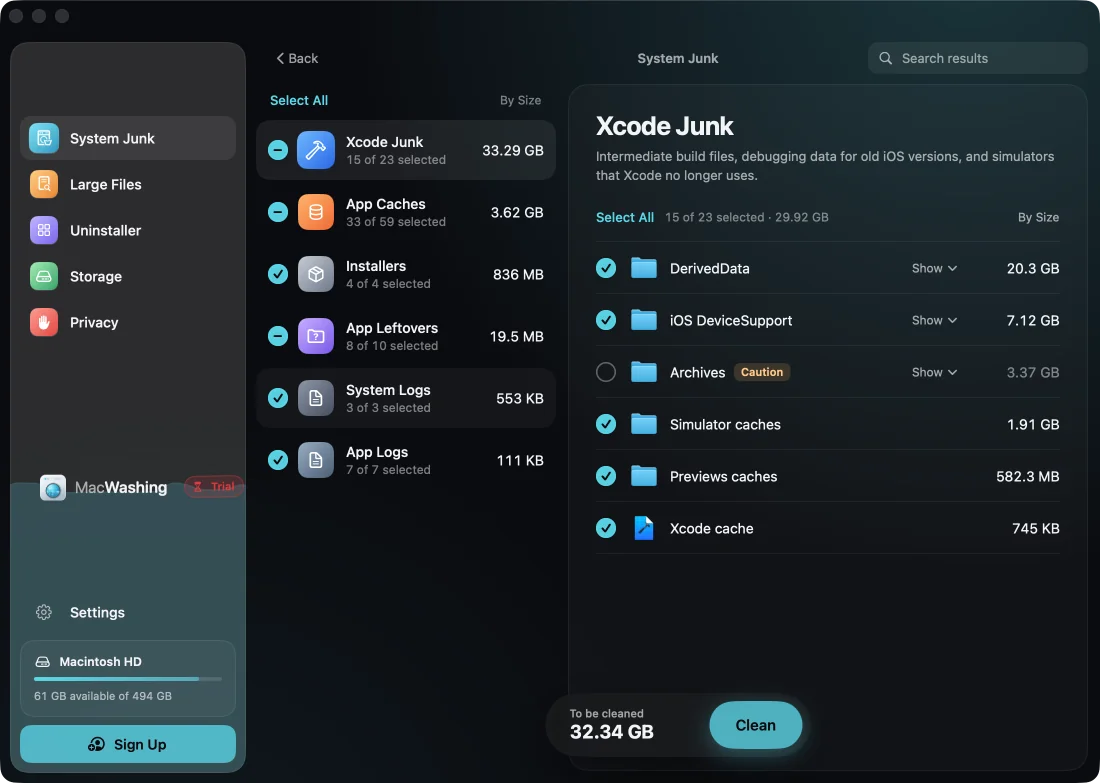
MacWashing after the scan1 of 2
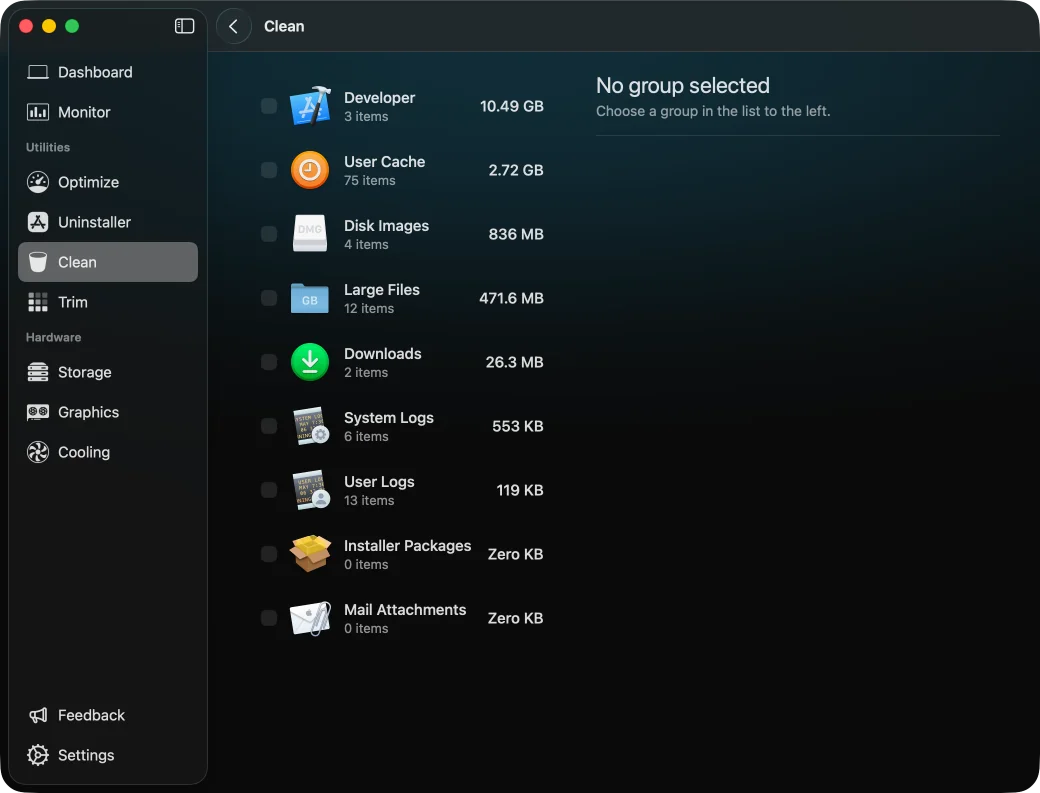
Sensei after the scan2 of 2
How much each app found
MacWashingSenseijunk: caches, logs, leftovers of appsyour files, not junk (the app’s «large files»)
Versions: MacWashing 2.3.4 · Sensei 2.1.3
A video editor’s Mac
Test 3 of 5- Premiere Rush, iMovie, CapCut
- HandBrake, LosslessCut, Kap, VLC
- The user’s projects and original footage
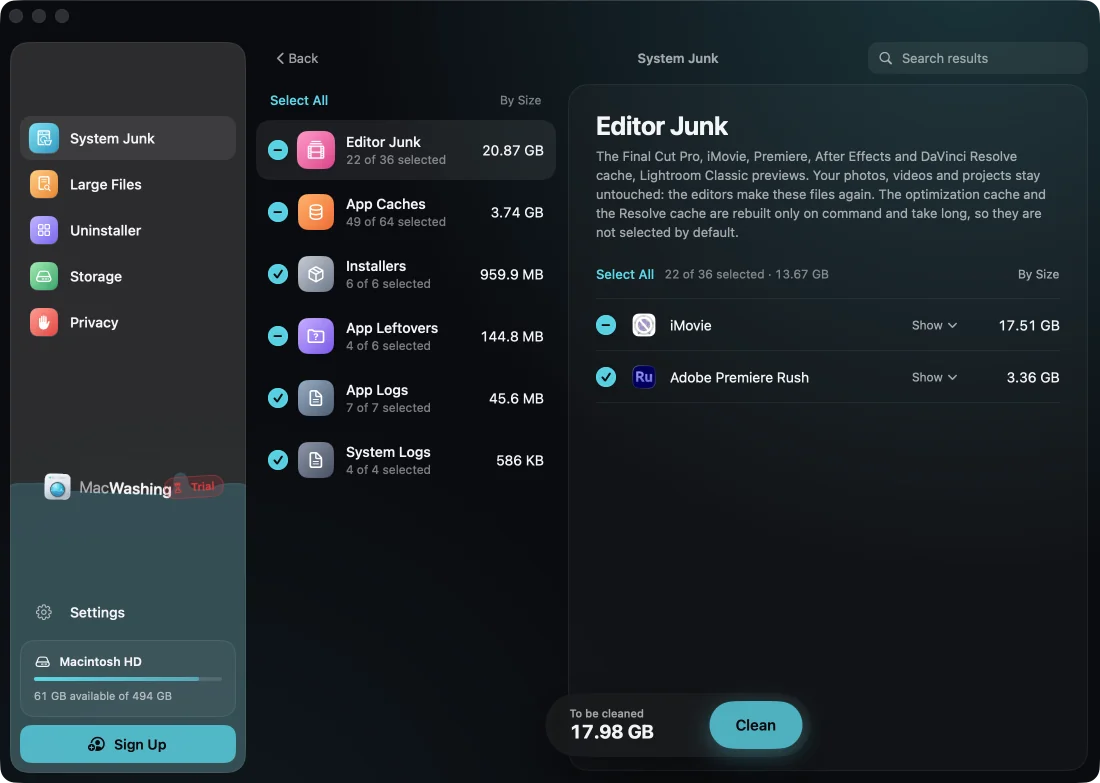
MacWashing after the scan1 of 2
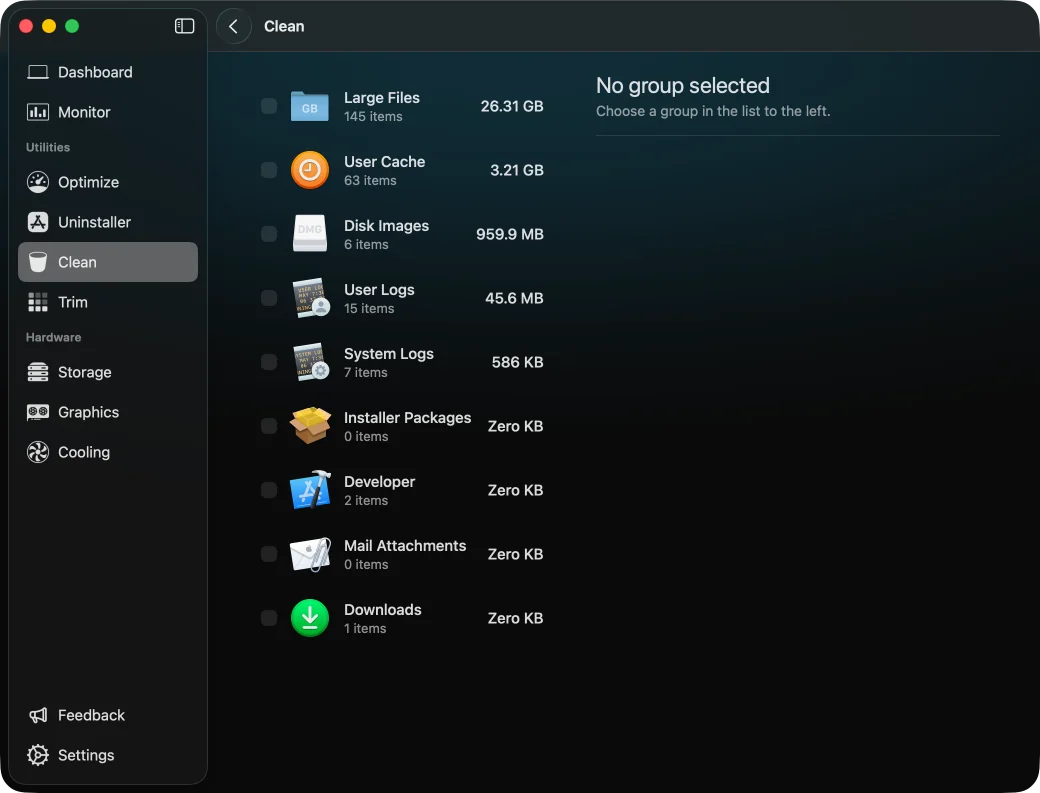
Sensei after the scan2 of 2
How much each app found
MacWashingSenseijunk: caches, logs, leftovers of appsyour files, not junk (the app’s «large files»)
Versions: MacWashing 2.3.4 · Sensei 2.1.3
A photographer’s Mac
Test 4 of 5- Lightroom Classic, GIMP, ImageOptim
- The user’s RAW photos and exports
- Chrome, Telegram, Spotify
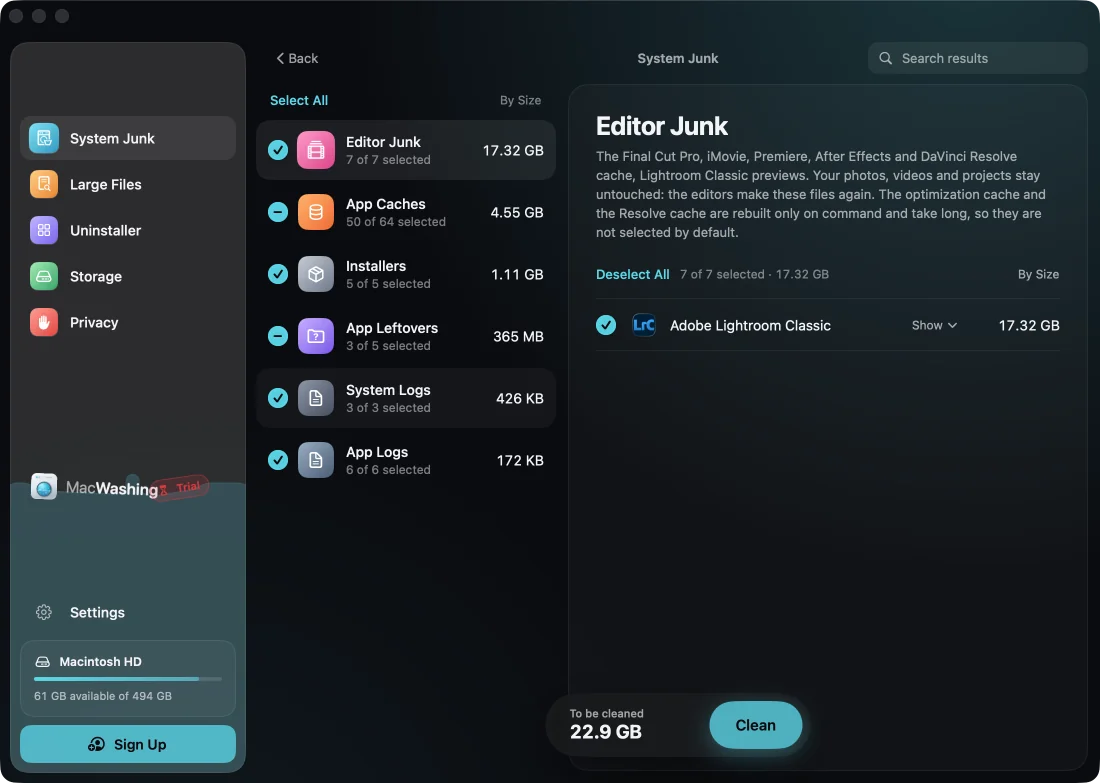
MacWashing after the scan1 of 2
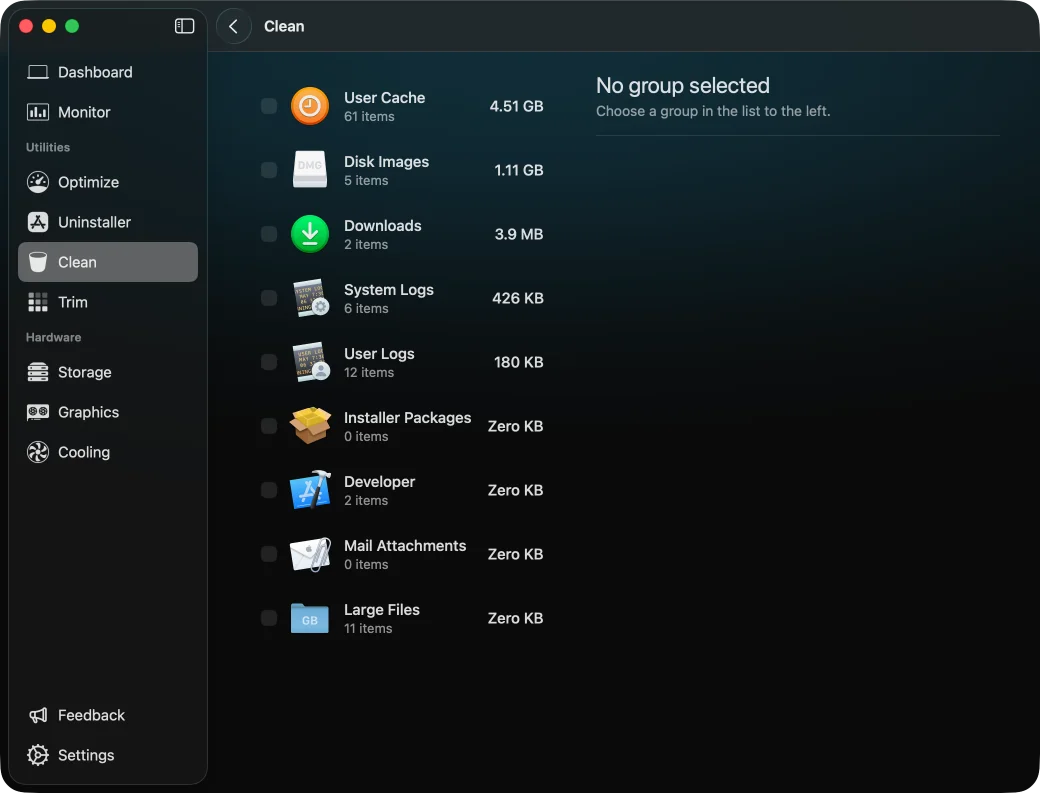
Sensei after the scan2 of 2
How much each app found
MacWashingSenseiVersions: MacWashing 2.3.4 · Sensei 2.1.3
An everyday user’s Mac
Test 5 of 5- Chrome, Safari, Brave
- Telegram, WhatsApp, Zoom, Discord, Slack, Teams
- Spotify, VLC, Steam, OBS Studio
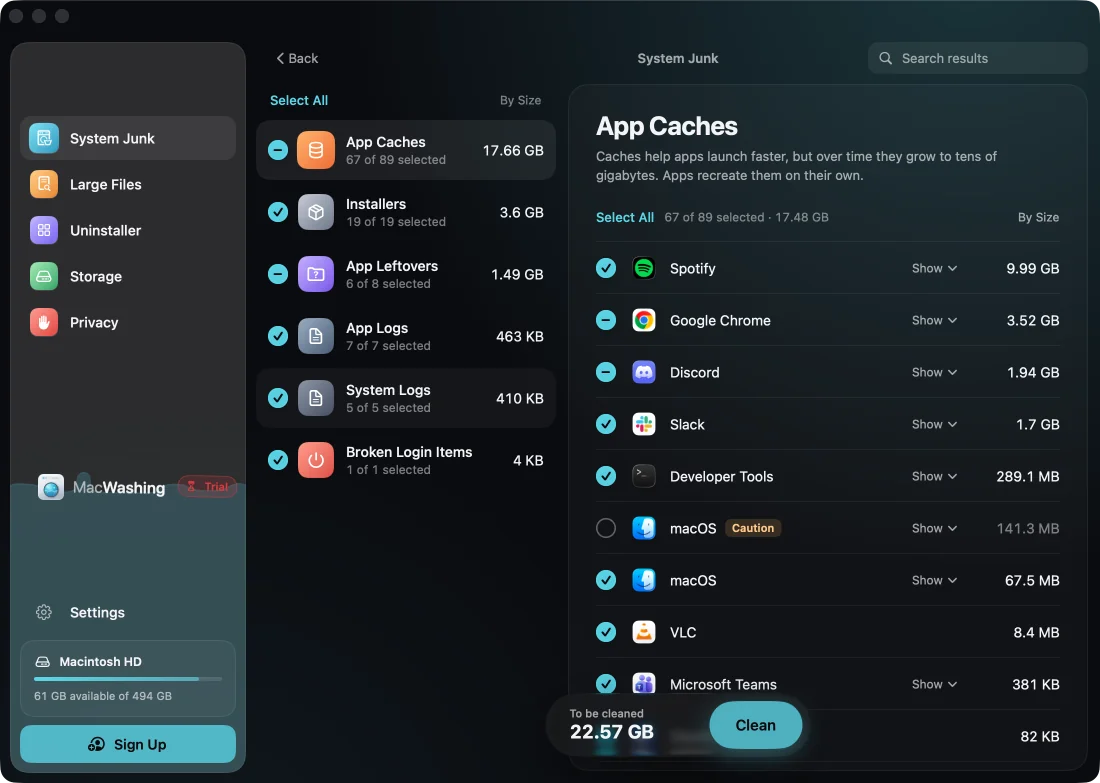
MacWashing after the scan1 of 2
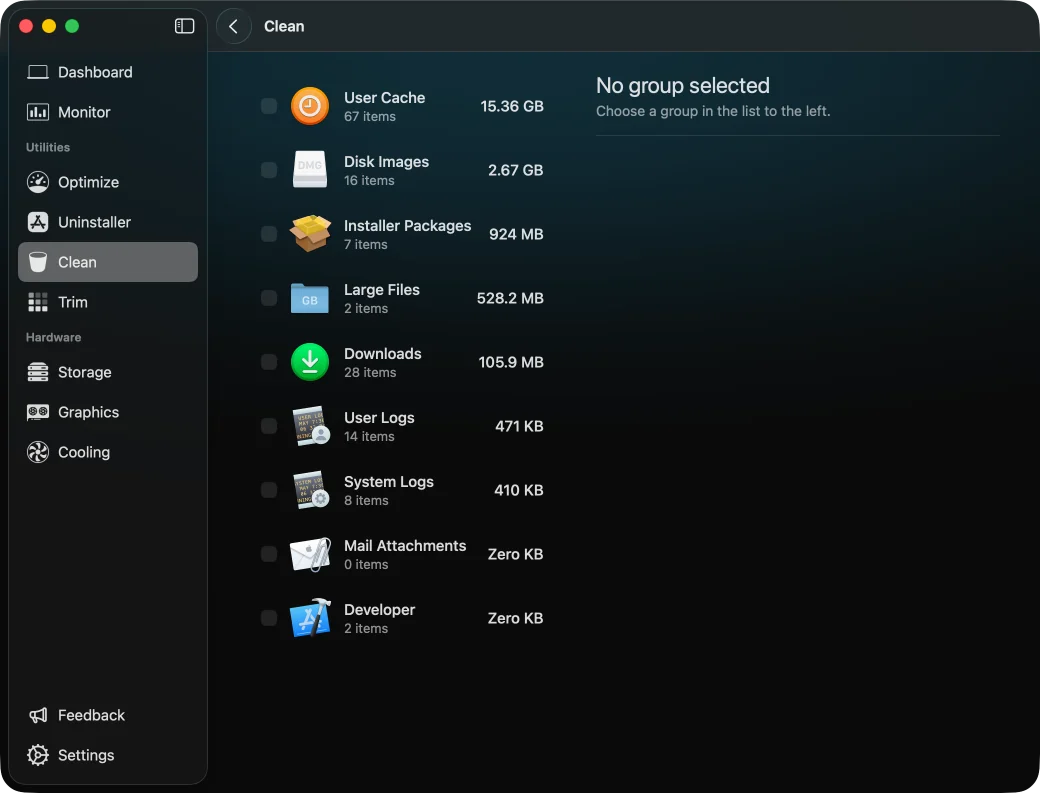
Sensei after the scan2 of 2
How much each app found
MacWashingSenseijunk: caches, logs, leftovers of appsyour files, not junk (the app’s «large files»)
Versions: MacWashing 2.3.4 · Sensei 2.1.3
Is Sensei safe?
In our tests Sensei offered to remove 2 things that could break something — marked ⚠ in the charts above.
- «Large Files» (26.3 GB) lists the original camera footage of the user's video projects (GoPro GX…, DJI_… clips) among the files to clean; nothing is checked by default — in 1 of 5 tests
- «Large Files» lists the Chromium Embedded Framework (386 MB) of the installed Steam client (Steam keeps its client in ~/Library/Application Support/Steam) — in 1 of 5 testsPart of a working app, not a file the user can drop.
MacWashing removes only what its rules database knows, and leaves alone what it can’t explain. Apps and large files go to the Trash by default, so they can be put back.
What to choose
MacWashingFound the most in the “Web developer” test: 25.34 GB. Dependencies of old projects (node_modules, vendor, .venv) are shown apart and not ticked.
MacWashingFound the most in the “iPhone developer” test: 37.77 GB.
MacWashingFound the most in the “Video editor” test: 25.76 GB.
MacWashingFound the most in the “Photographer” test: 23.35 GB.
MacWashingFound the most in the “Everyday user” test: 22.75 GB.
MacWashingRemoves only what its rules database knows. Apps and large files go to the Trash first. One app offered something risky — the ⚠ sign in the charts.