


Best free Mac cleaners
Checked three apps on the same Mac
All the apps checked the same Mac with the same files. Five tests: a Mac with a classic web developer stack, an iPhone developer’s Mac, a video editor’s Mac, a photographer’s Mac and an everyday user’s Mac. Below is how much junk each one found.
In short
| App | Web developer | iPhone developer | Video editor | Photographer | Everyday user |
|---|---|---|---|---|---|
| MacWashing | 25.34 GB | 37.77 GB | 25.76 GB | 23.35 GB | 22.75 GB |
| CCleaner | 7.83 GB | 23.94 GB | 4.65 GB | 22.07 GB | 19.23 GB |
| Pearcleaner | 3.21 GB | 32.34 GB | 3.53 GB | 369 MB | 1.64 GB |
How much junk each app found: the user’s large files and the space macOS frees by itself are not counted. Green is the best result in a column.
The apps in this comparison
MacWashing
MacWashing- Free up to 25 GB
- Subscription or lifetime
Checks every removal against its rules database: what it doesn’t know, it leaves alone. Apps and large files go to the Trash by default, so they can be put back.
CCleaner
Piriform (Gen Digital)- Free version
- Pro by subscription
The Mac version of the well-known Windows cleaner: browser and app caches, logs, the Trash, login items. The free version cleans the basics, the rest is in the paid Pro.
Developer’s site ↗Pearcleaner
alienator88- Free
- Open source
A free, source-available uninstaller: removes apps with their files and finds files left by apps already gone. It doesn’t look for system or app caches.
Developer’s site ↗A Mac with a classic web developer stack
Test 1 of 5- 10 projects: Node.js, PHP, Python
- 8 of them untouched for over 90 days
- VS Code, iTerm2, Chrome, Postman, Docker Desktop
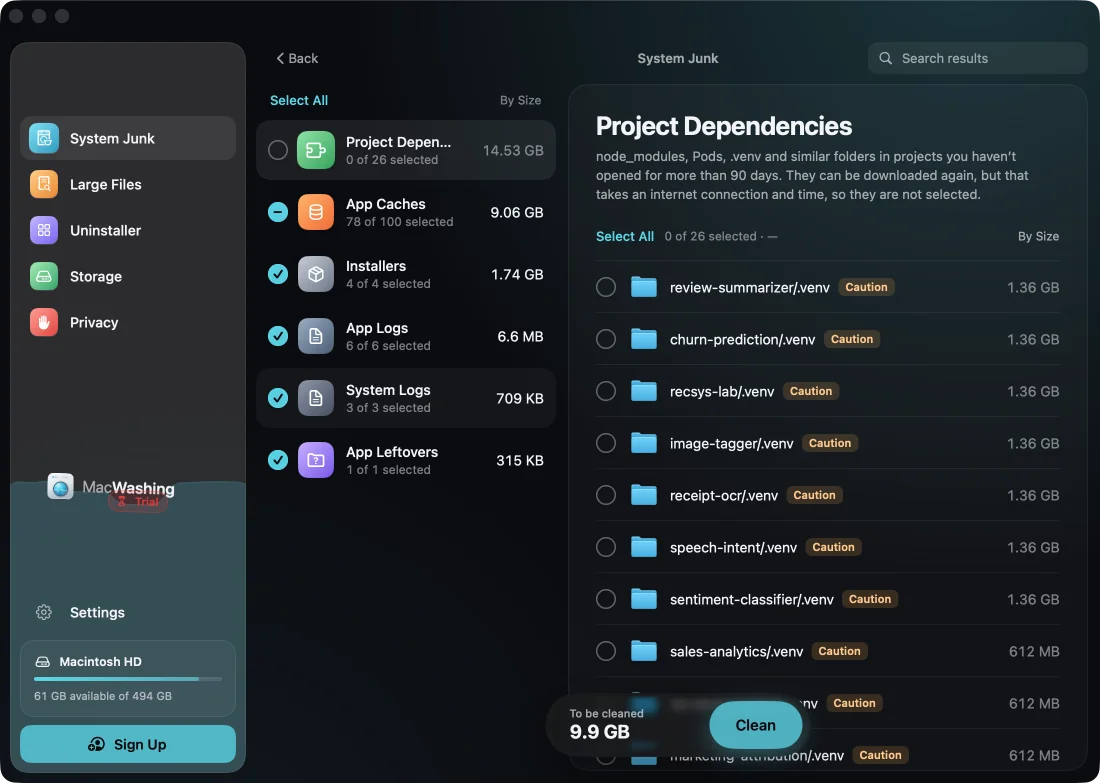
MacWashing after the scan1 of 3
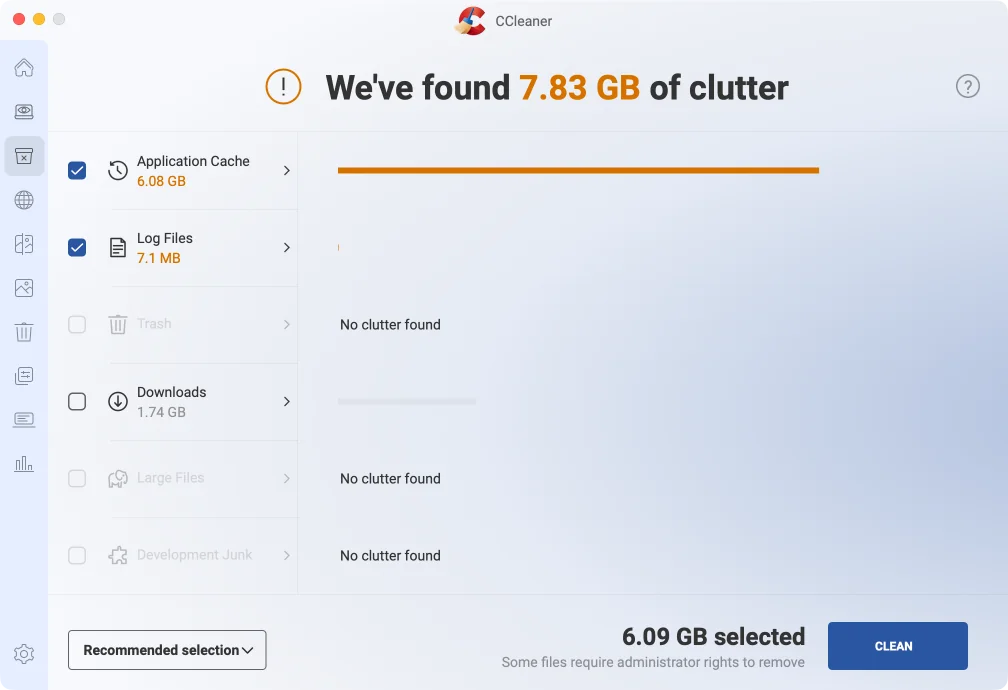
CCleaner after the scan2 of 3
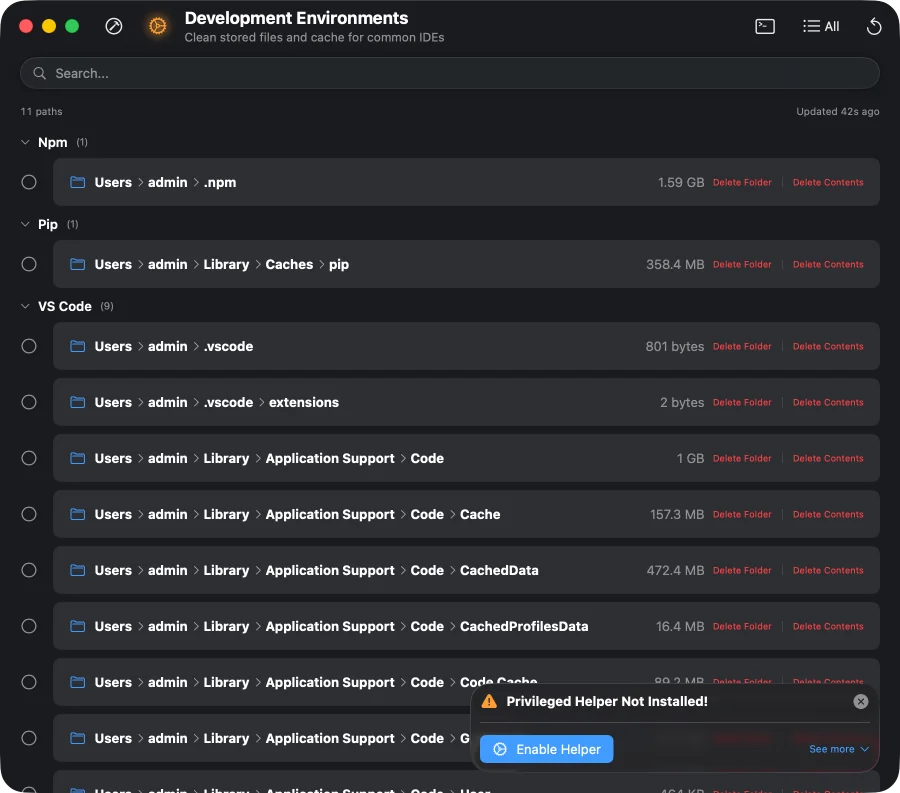
Pearcleaner after the scan3 of 3
How much each app found
MacWashingCCleanerPearcleanerjunk: caches, logs, leftovers of appsdependencies of old projects (found, not ticked)
Versions: MacWashing 2.3.4 · CCleaner 2.11 · Pearcleaner 5.4.3
An iPhone developer’s Mac
Test 2 of 5- Xcode, CocoaPods, Proxyman, Xcodes
- Slack, Discord, Chrome, Safari
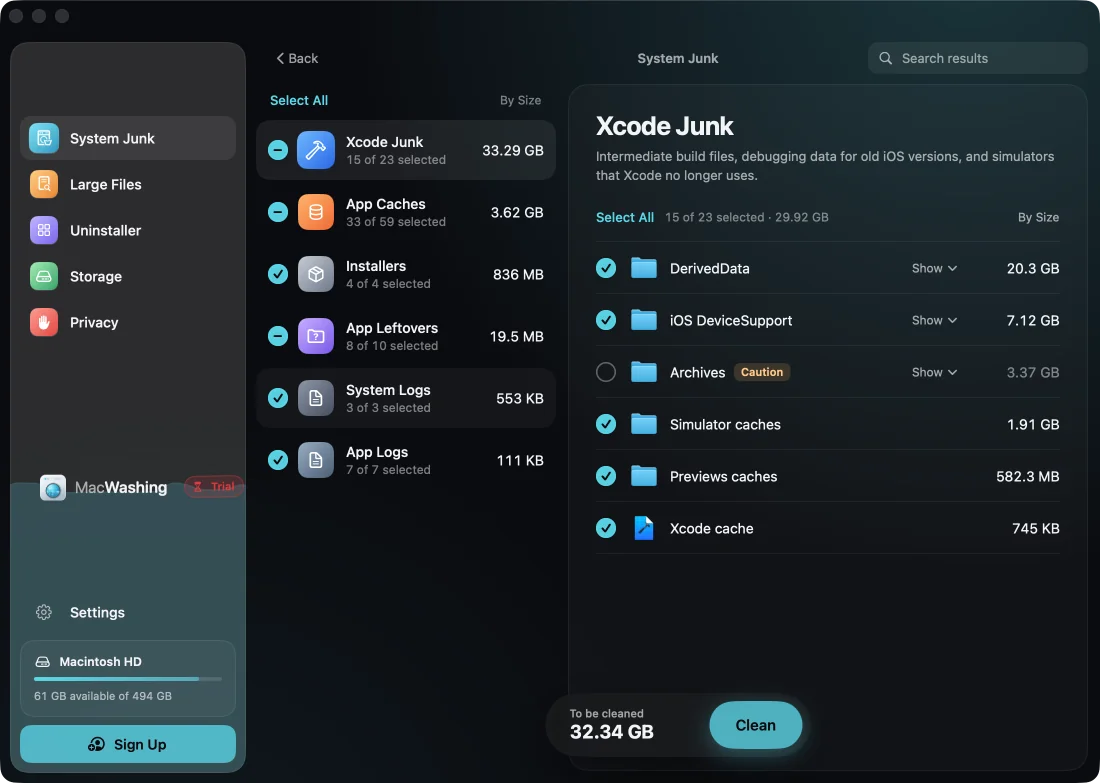
MacWashing after the scan1 of 3
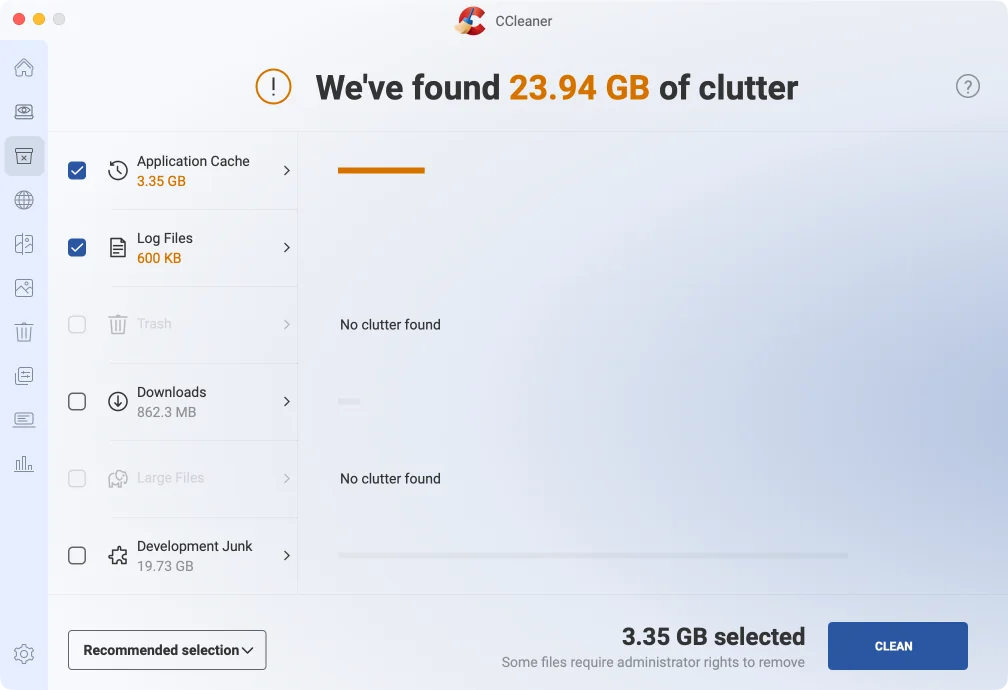
CCleaner after the scan2 of 3
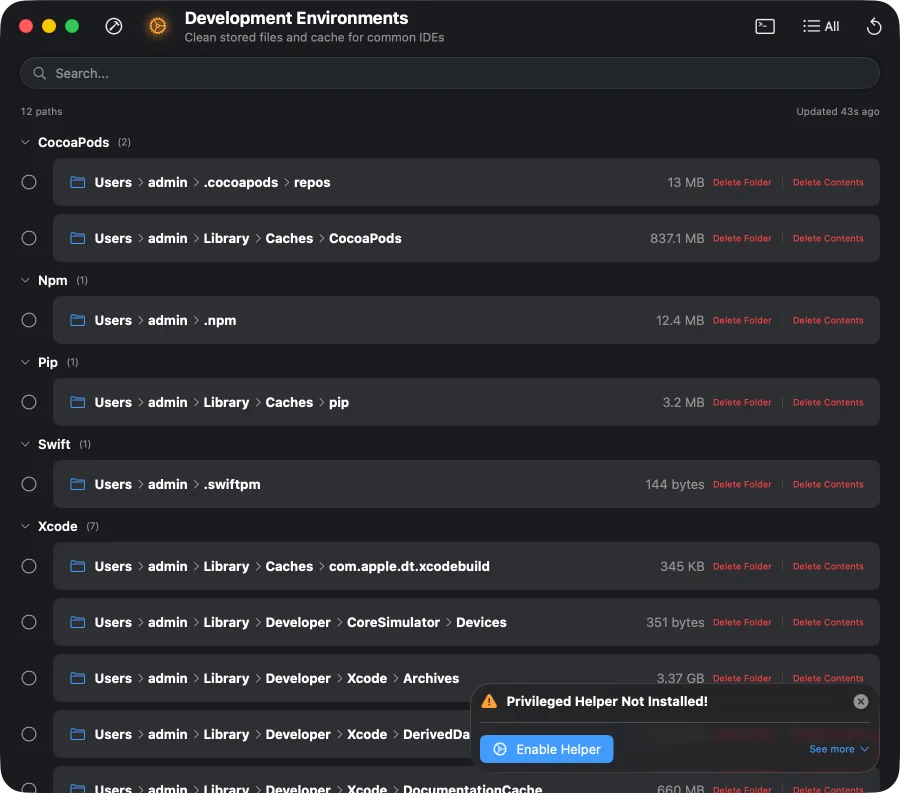
Pearcleaner after the scan3 of 3
How much each app found
MacWashingPearcleanerCCleanerVersions: MacWashing 2.3.4 · CCleaner 2.11 · Pearcleaner 5.4.3
A video editor’s Mac
Test 3 of 5- Premiere Rush, iMovie, CapCut
- HandBrake, LosslessCut, Kap, VLC
- The user’s projects and original footage
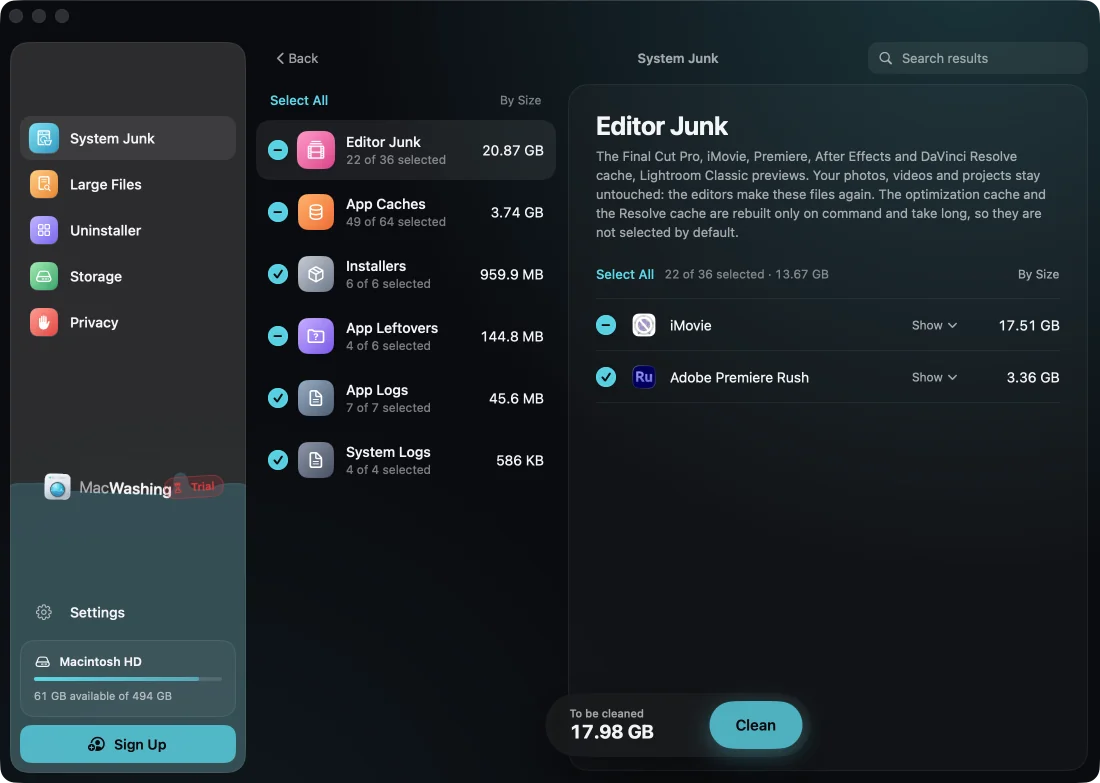
MacWashing after the scan1 of 3
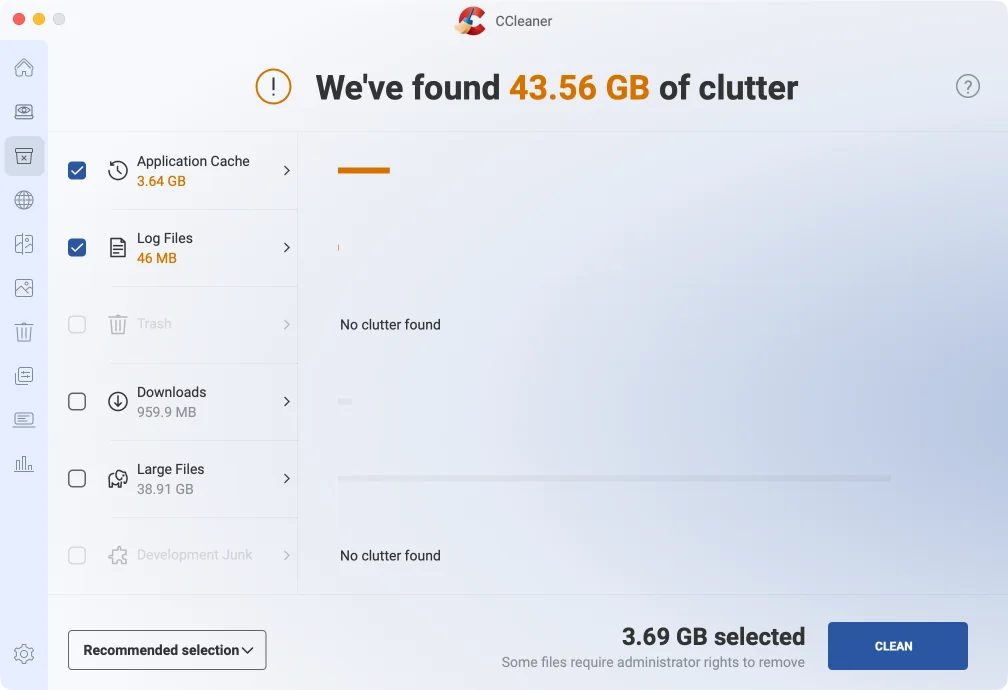
CCleaner after the scan2 of 3
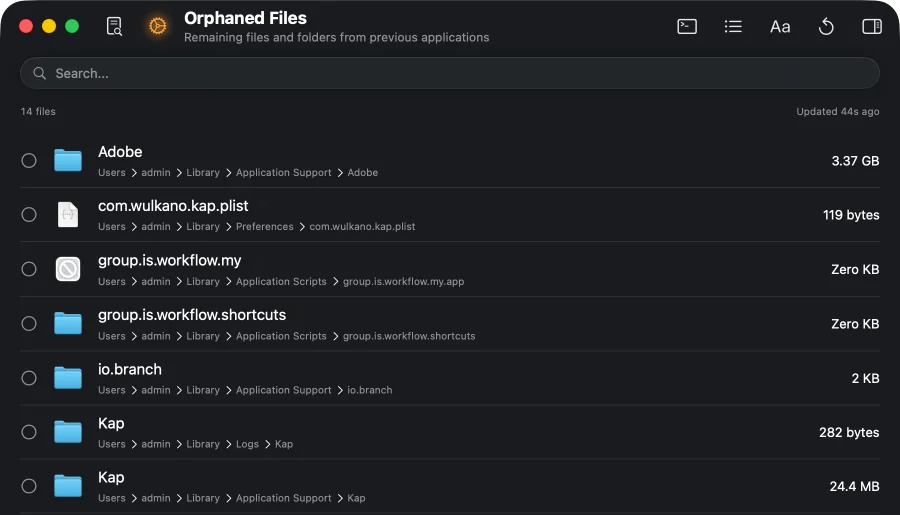
Pearcleaner after the scan3 of 3
How much each app found
MacWashingCCleanerPearcleanerjunk: caches, logs, leftovers of appsyour files, not junk (the app’s «large files»)
Versions: MacWashing 2.3.4 · CCleaner 2.11 · Pearcleaner 5.4.3
A photographer’s Mac
Test 4 of 5- Lightroom Classic, GIMP, ImageOptim
- The user’s RAW photos and exports
- Chrome, Telegram, Spotify
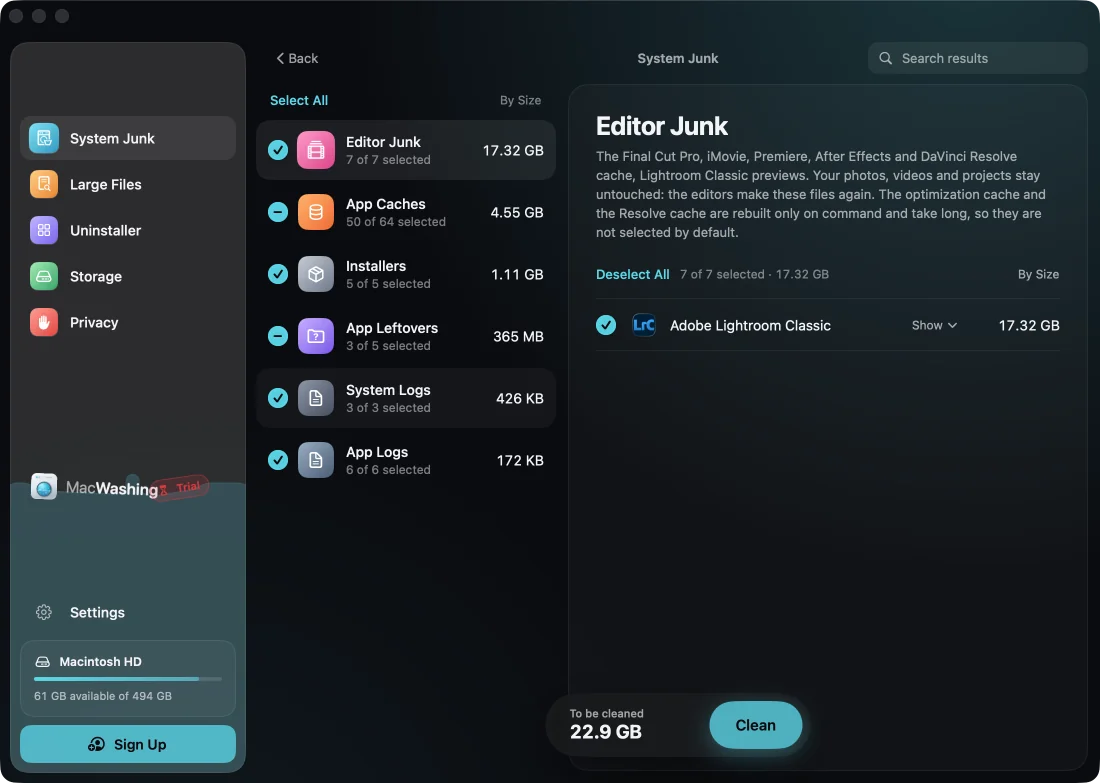
MacWashing after the scan1 of 3
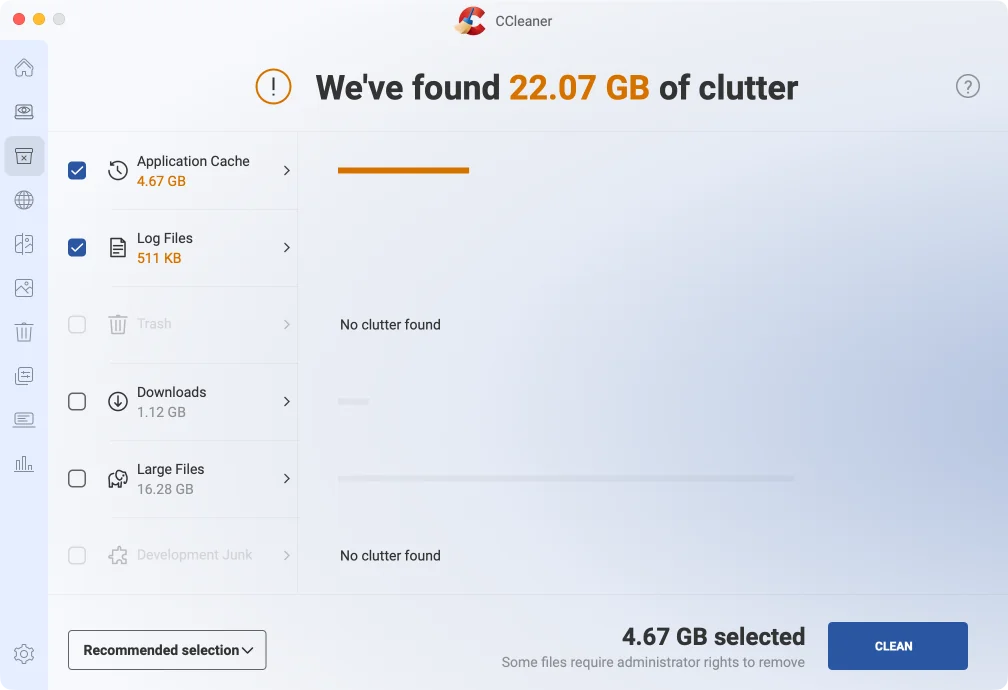
CCleaner after the scan2 of 3
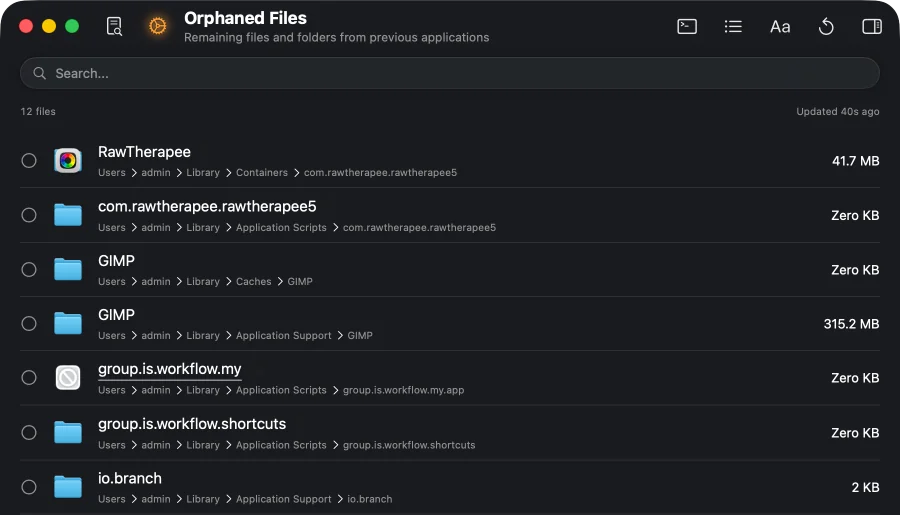
Pearcleaner after the scan3 of 3
How much each app found
MacWashingCCleanerPearcleanerVersions: MacWashing 2.3.4 · CCleaner 2.11 · Pearcleaner 5.4.3
An everyday user’s Mac
Test 5 of 5- Chrome, Safari, Brave
- Telegram, WhatsApp, Zoom, Discord, Slack, Teams
- Spotify, VLC, Steam, OBS Studio
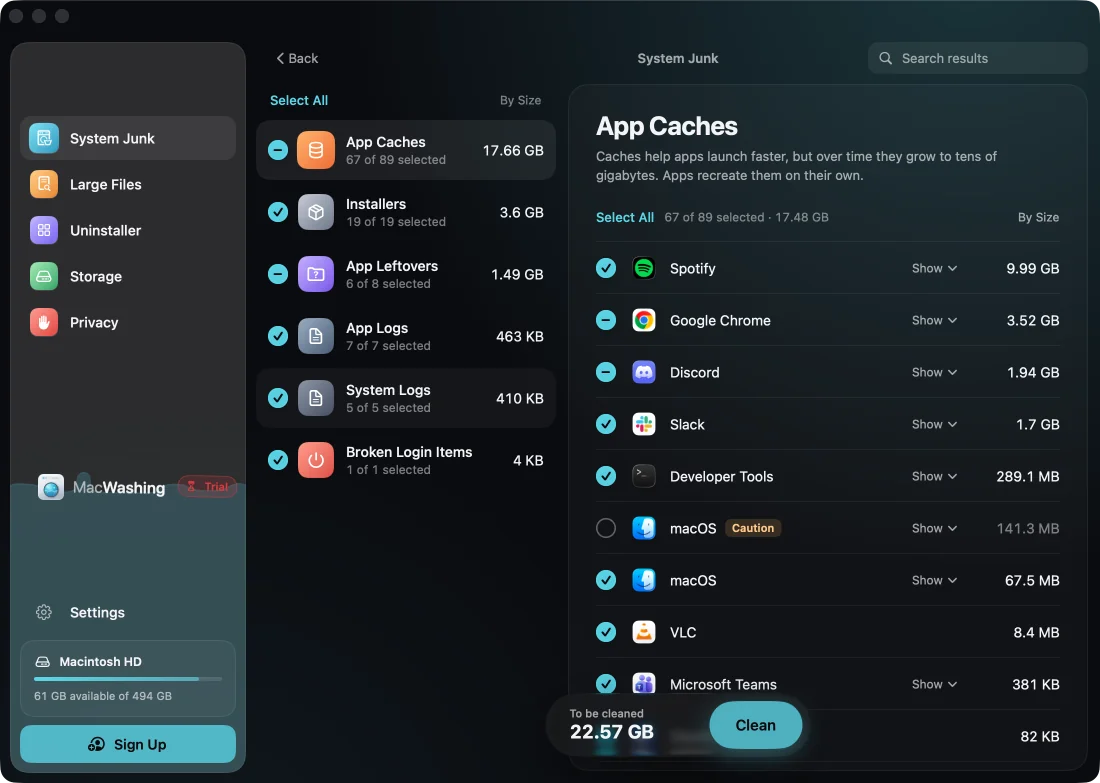
MacWashing after the scan1 of 3
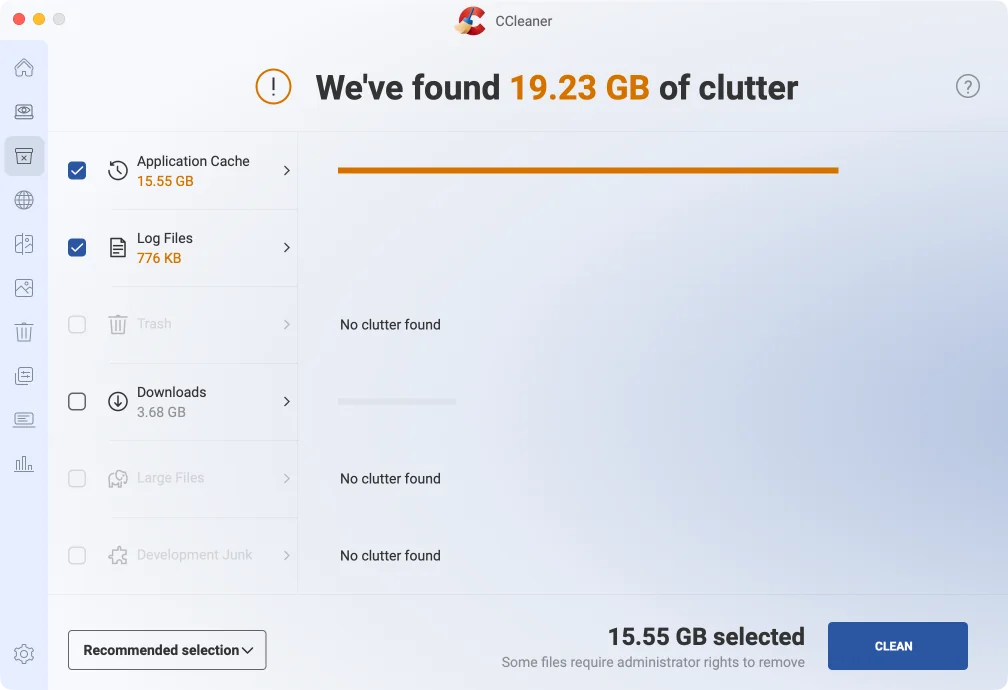
CCleaner after the scan2 of 3
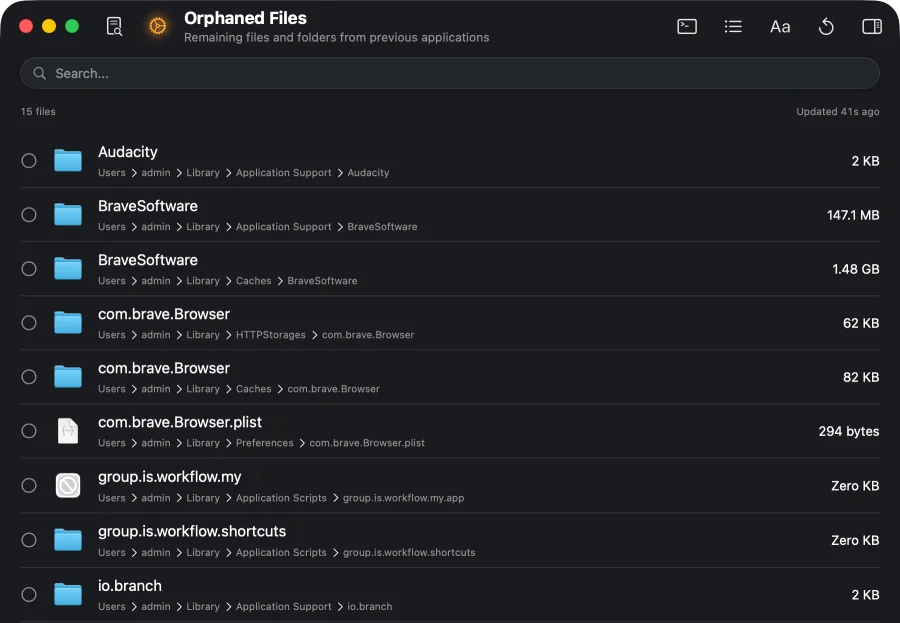
Pearcleaner after the scan3 of 3
How much each app found
MacWashingCCleanerPearcleanerVersions: MacWashing 2.3.4 · CCleaner 2.11 · Pearcleaner 5.4.3
What to choose
MacWashingFound the most in the “Web developer” test: 25.34 GB. Dependencies of old projects (node_modules, vendor, .venv) are shown apart and not ticked.
MacWashingFound the most in the “iPhone developer” test: 37.77 GB.
MacWashingFound the most in the “Video editor” test: 25.76 GB.
MacWashingFound the most in the “Photographer” test: 23.35 GB.
MacWashingFound the most in the “Everyday user” test: 22.75 GB.
MacWashingRemoves only what its rules database knows. Apps and large files go to the Trash first. Two apps offered something risky — the ⚠ sign in the charts.