Solo Save 63%
$2.95/ mo
billed yearly, $35.40
For macOS 14 Sonoma and later
MacWashing clears out caches, logs, leftovers of removed apps and Xcode junk, removes apps completely and digs up forgotten large files. Every path is checked against a curated rules database before a single file goes.
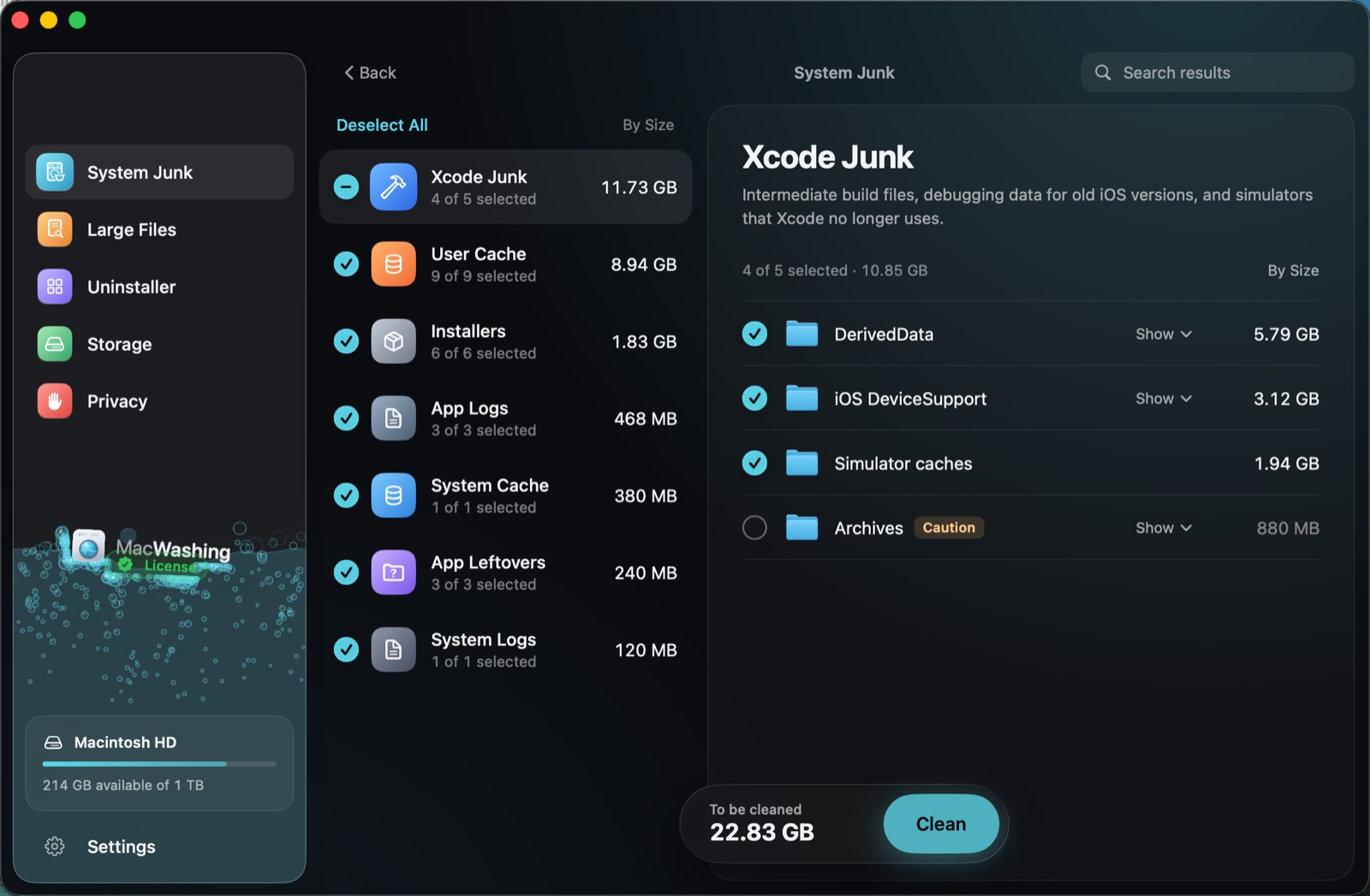
This is a live window: check categories, open folders and press Clean.
Five tools, one window
Each section does one job, shows exactly what it found and leaves the decision to you.
System Junk
Finds everything that can go without harming your system: user and system caches, app logs, leftovers of apps you removed long ago, forgotten installers and gigabytes of Xcode junk. It finds what popular Mac cleaners miss.
22.8GB
freed on the demo Mac in one scan
App caches grow to tens of gigabytes, and apps recreate them on their own.
DerivedData, debugging data for old iOS versions and simulator caches.
Disk images and packages forgotten in Downloads.
Settings and caches of apps that are no longer on your Mac.
From apps and the system: nothing needs them to work.
Anything debatable is marked and left unchecked: build archives and big data folders stay until you decide.
Large Files
Videos, archives and disk images you downloaded once and never opened again. Large Files finds big, long-forgotten files on the disks you choose and helps you decide what to do with them.
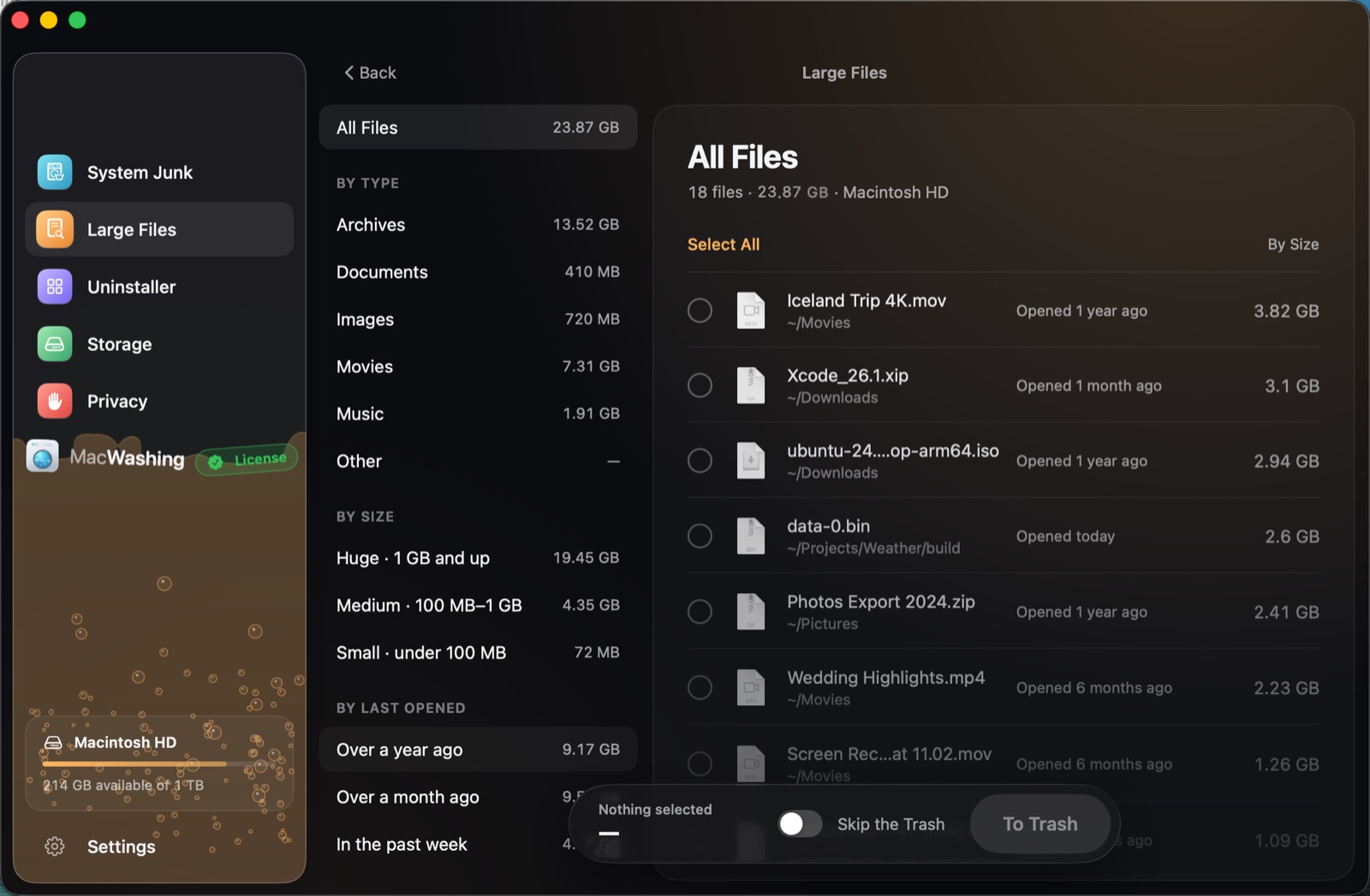
Pick “Over a year ago”, check some files and press To Trash.
Uninstaller
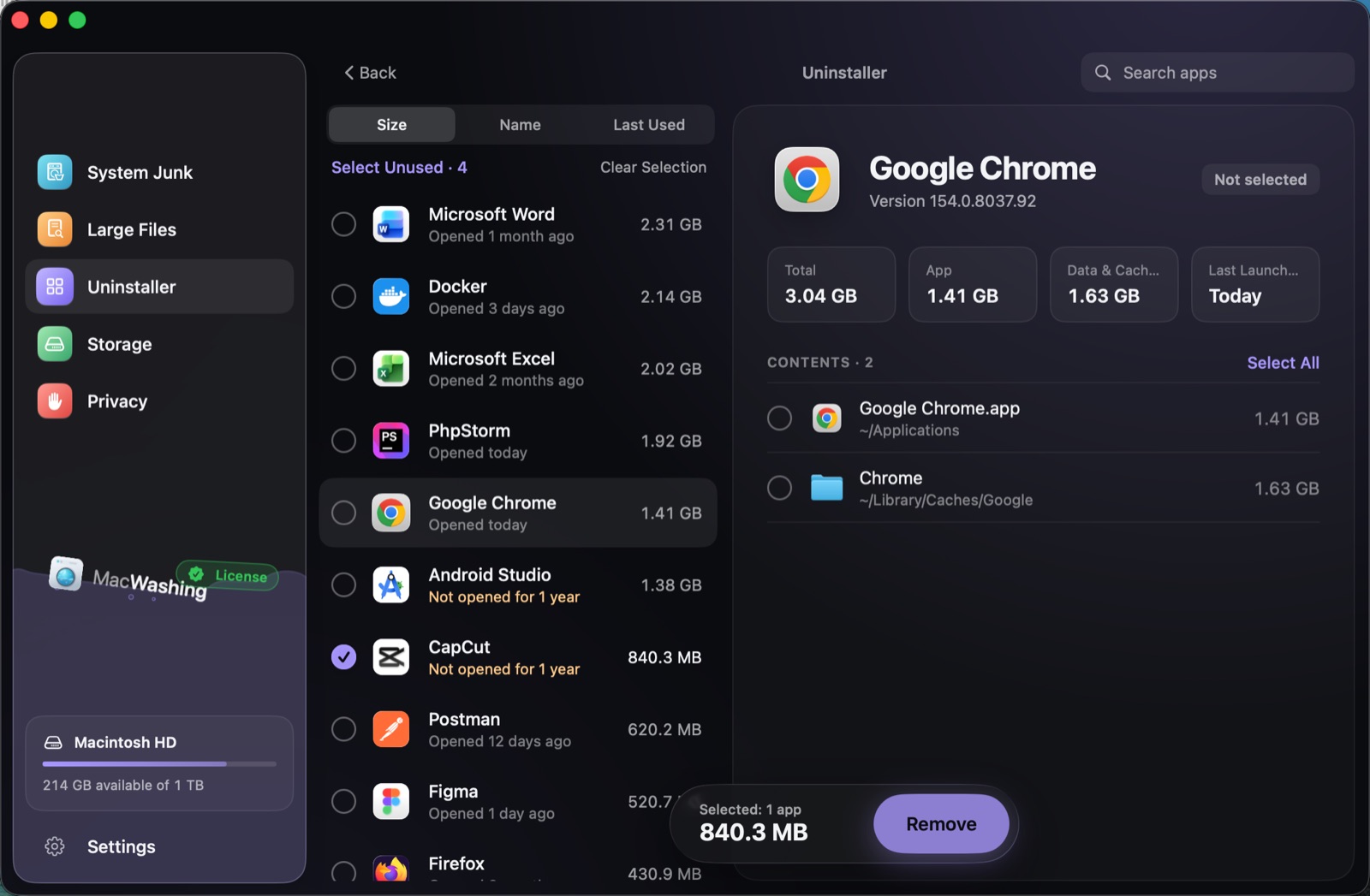
Dragging an app to the Trash leaves its settings, caches and background items behind. The Uninstaller finds them through the rules database and removes everything together.
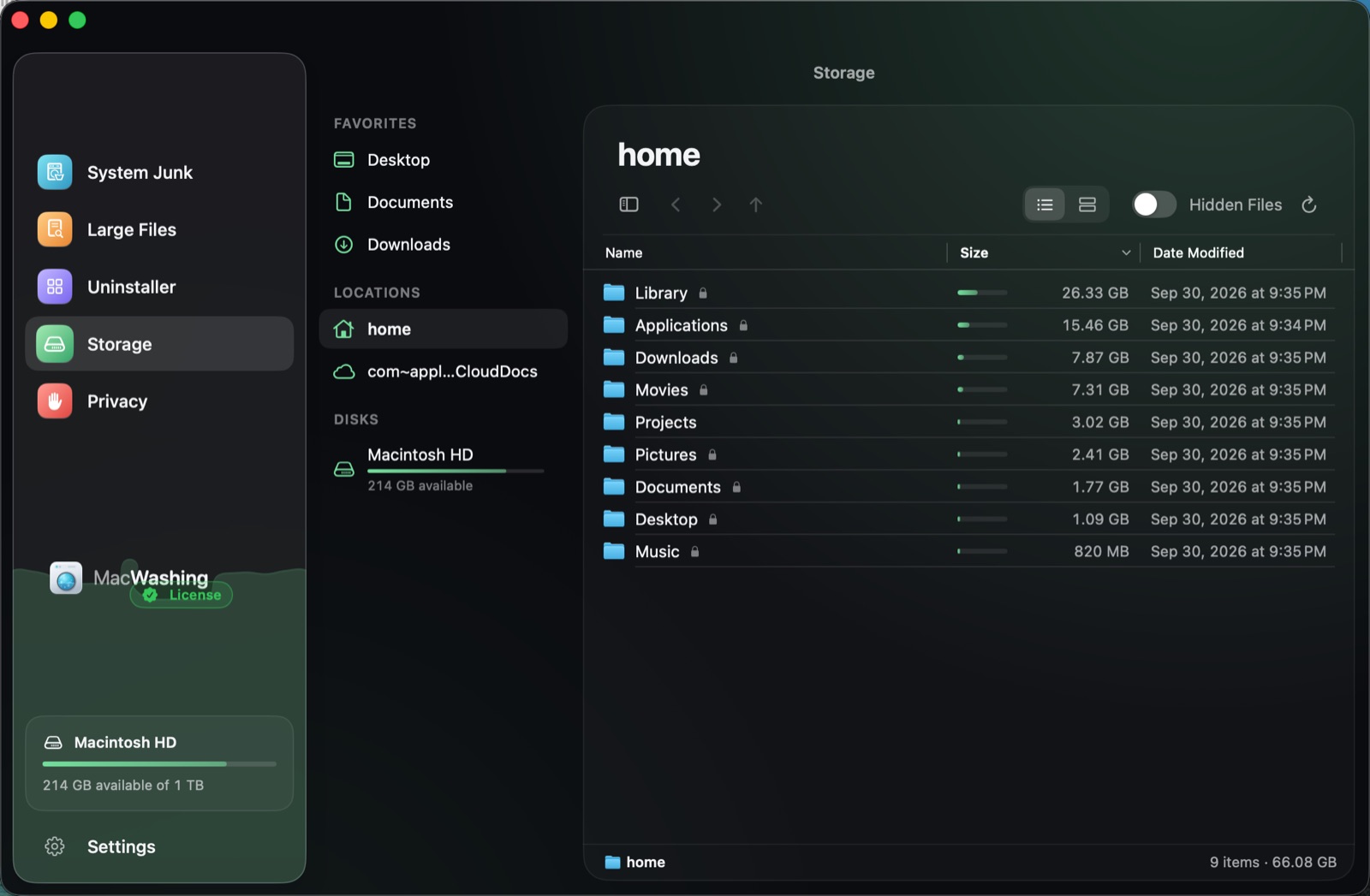
Privacy
Shows which apps you let use the camera, microphone, screen recording, files, automation and every other macOS permission — like Privacy & Security in System Settings, but on a single screen.
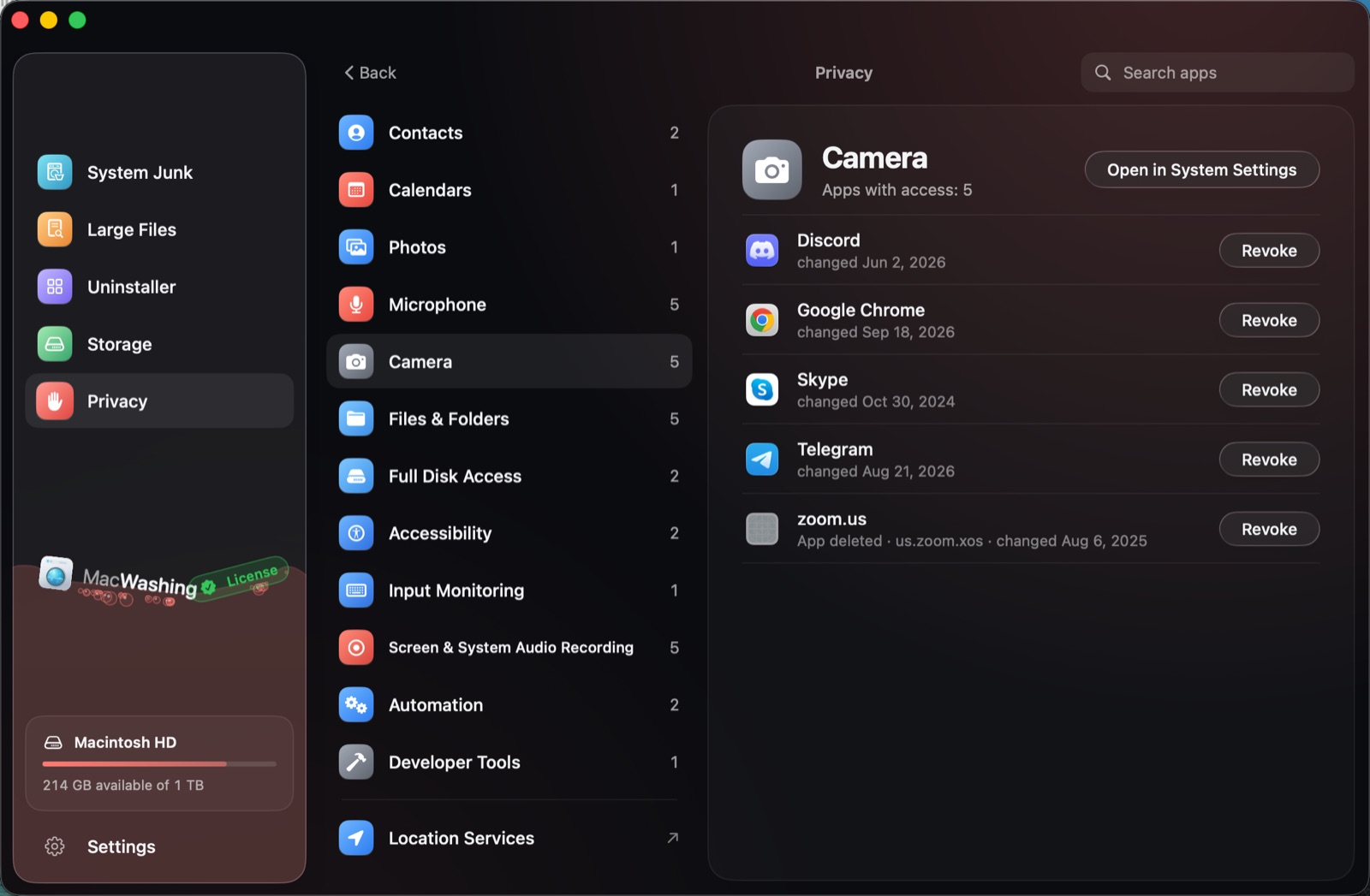
Pick a permission on the left and take it back from an app that doesn’t need it.
System Junk finds broken login items — leftovers of deleted apps that macOS keeps trying to start. The Uninstaller removes an app’s background items along with it, so nothing keeps launching after it’s gone.
Leftovers in folders shared by all users of the Mac are removed too. macOS asks for your permission once, and every path is checked again right before removal.
Choose whether files are deleted right away or moved to the Trash, keep confirmation before removal on, and add folders to Exclusions so no scan ever looks inside.
Safe by design
Cleaners earned their bad reputation by guessing. MacWashing doesn’t guess: it removes only what it can explain.
4,600+rules
Every find is checked against a database of apps and the files they create, built from real installs on clean test Macs, analysis of app bundles and vendors’ own uninstall instructions.
Removal is limited to where apps leave files: their settings, caches, logs and background items. macOS itself and Apple’s own files are never touched.
Every item can be expanded and unchecked. Folders that may hold your own documents are marked “Caution”, and MacWashing asks before it removes anything.
Apps, large files and anything from Storage go to the Trash by default, so you can put them back. Caches and logs are deleted right away — apps recreate them anyway.
If an open app holds files being cleaned, MacWashing waits for it to quit or quits it at your request — and opens it again when cleaning is done.
Scanning happens entirely on your Mac. File names and lists never leave it; the app talks to our server only to check your license.
Always up to date
We keep adding to the database: new apps and new versions of familiar ones are checked and get their rules. MacWashing picks the fresh database up on its own — no need to wait for a new version of the app.
When a popular app or a new version of one comes out, we install it on a clean test Mac, see which files it creates and add the rules to the database.
MacWashing checks for a fresh database once a day, downloads it in the background and uses it from the next launch. No app update, no account and no license needed — the trial gets it too.
App updates are signed with our Apple Developer ID and notarized by Apple; the database carries our digital signature. A forged update is rejected, and a damaged database is replaced with the built-in one.
MacWashing tells you when a new version is out and asks before installing — or turn on automatic updates in Settings. It never restarts in the middle of a cleanup, shares only the macOS and app versions needed to pick the right update, and works offline with the last database it got.
The interface is fully translated. MacWashing runs on macOS 14 Sonoma and later, with Liquid Glass on macOS 26.
Pricing
Pick a plan when you’re ready. The 20 GB trial works without one.
$2.95/ mo
billed yearly, $35.40
$4.95/ mo
billed yearly, $59.40
$8.95/ mo
billed yearly, $107.40
$7.95/ mo
billed monthly
$12.95/ mo
billed monthly
$19.95/ mo
billed monthly
$89once
Pay once, use forever
$149once
Pay once, use forever
$299once
Pay once, use forever
FAQ
MacWashing removes only files it can match to a known app or a known kind of junk in its rules database, and only in places apps leave files. Standard system folders and Apple’s files are never touched. You can review and uncheck every item, and apps, large files and Storage items go to the Trash by default.
Every section works without a license. System Junk and the Uninstaller can free up to 20 GB in total; Large Files, Storage and Privacy have no limit. No account or card is needed.
macOS hides caches, logs and the permissions database from apps without Full Disk Access. MacWashing needs it to see them. Everything is scanned on your Mac; no file names or lists are sent anywhere.
Some leftovers live in folders shared by all users of the Mac. To remove them, MacWashing asks macOS for your permission once, and every path is checked against the same safety rules first.
Anything moved to the Trash can be put back until you empty the Trash. Caches and logs are deleted right away by default because apps recreate them; you can switch that to the Trash in Settings.
Any Mac running macOS 14 Sonoma or later.